Disclosure first: I make Kotoyokai, one of the apps on this list. I tried the others myself in November 2026 and checked every price on the app's official page or US App Store listing on November 23, 2026. How far I went in each app is in "How I tested" at the end. Apps I couldn't try aren't on the list. The list has no ranking: it's sorted by what you want to do.
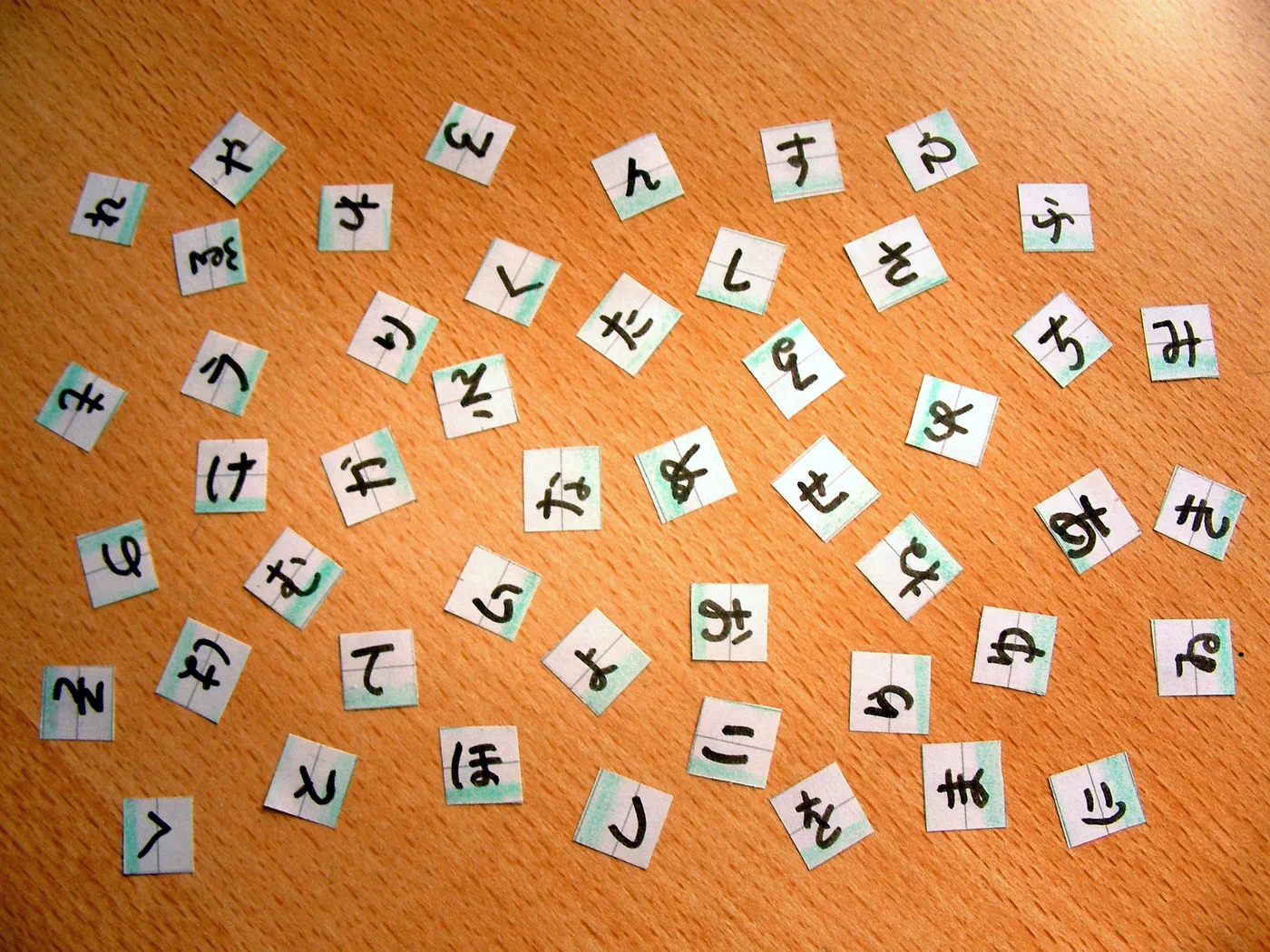 Photo: Serg!o, Wikimedia Commons, Public domain (resized)
A few terms
- Kana: the two Japanese alphabets, hiragana and katakana.
- Romaji: Japanese written in the Latin alphabet (あ = a).
- Stroke order: the order in which the lines of a character are written.
- Mnemonic: a short story or picture that helps you remember a character.
- Radicals: the smaller parts that kanji are built from.
- On'yomi / kun'yomi: the two kinds of kanji readings. On'yomi came from Chinese; kun'yomi is the native Japanese reading.
- JLPT N5–N1: the levels of the Japanese-Language Proficiency Test. N5 is the easiest, N1 the hardest. Apps use them to group kanji.
- Kanken: the Japan Kanji Aptitude Test, another way to group kanji by level.
- Spaced repetition (SRS): a review schedule that brings an item back after longer and longer gaps as you keep remembering it.
- Review: going back over what you already learned. Every app below does it differently: in Anki you rate each card yourself, in WaniKani and Renshuu you answer a quiz, in Kotoyokai you try to recall the answer before you tap the card. Each section says which.
The short answer
- To learn hiragana and katakana for free: MARU (iPhone) has every kana in its free version, with a short ad after every 5 mistakes. Tofugu's Learn Hiragana guide plus its free Kana Quiz works in any browser with no account. Kotoyokai (web and iPhone) has every hiragana and katakana free with no account, a recording for each one checked by a native speaker, and tracing practice.
- To look up a kanji: Kanji alive and Jisho.org are free and need no account.
- To learn kanji step by step: WaniKani (first 3 of 60 levels free) teaches radicals, then kanji, then words, with mnemonics and spaced repetition.
- To review what you learned so it sticks: Renshuu (free account) builds review schedules for you. Anki has a strong review schedule but no lessons: on the web you make your own cards, and shared decks are added through the free desktop app.
- For a guided course you can start without an account: Duolingo starts with words (kana practice is in a separate Characters tab). Kotoyokai starts with hiragana and ends with N5 and N4 kanji.
- Without an iPhone: every app marked "Web" in the table runs in a browser (I tested them on a computer). Anki is free on desktop and on Android as AnkiDroid.
Comparison table
| App | Start without an account | Kana | Kanji | Review on a schedule | Free | Paid | Where |
|---|---|---|---|---|---|---|---|
| Duolingo | Start without an accountYes | KanaStarts with words, romaji over the kana; kana charts and tracing in a separate Characters tab | KanjiKanji chart in the Characters tab | Review on a scheduleMissed questions come back at the end of the lesson; longer-term review not seen | FreeCore lessons, with ads and limited hearts | PaidSuper: subscription, 1-week free trial; no price on the official page | WhereWeb, iOS, Android |
| Renshuu | Start without an accountNo | KanaKana cards (word, picture, stroke order, mnemonic), then quizzes both ways | KanjiAdd from JLPT N5–N1, Kanken or textbook lists | Review on a scheduleYes (missed: next day; correct: a few days later) | FreeWord, kanji-reading and grammar quizzes, games. Listening, sentence, pitch and writing questions are Pro | Paid$6.99/month · $49.99/year · $109.99 once | WhereWeb, iOS, Android (Android listing checked, not tried) |
| Anki | Start without an accountNo | KanaNo lessons; shared kana decks | KanjiNo lessons; shared decks | Review on a scheduleYes (Again / Hard / Good / Easy) | FreeEverything on AnkiWeb, desktop and AnkiDroid | Paid$24.99 once (AnkiMobile, iOS) | WhereWeb, desktop, iOS, Android (AnkiDroid) |
| Kanji alive | Start without an accountYes | KanaNot offered | Kanji1,235-kanji dictionary with stroke animations | Review on a scheduleNo | FreeWhole site | PaidNone listed | WhereWeb |
| Jisho.org | Start without an accountYes | KanaNot offered | KanjiDictionary (strokes, radicals, JLPT level) | Review on a scheduleNo | FreeWhole site | PaidNone listed | WhereWeb |
| Tofugu Learn Hiragana + Kana Quiz | Start without an accountYes | KanaMnemonic guide, then a quiz where you type the romaji | KanjiNot offered | Review on a scheduleNo (you rerun the quiz) | FreeWhole guide and quiz | PaidNone listed | WhereWeb |
| NHK Easy Japanese | Start without an accountYes | KanaKana charts that play each sound, plus PDF charts | KanjiOne kanji per lesson | Review on a scheduleNo | FreeWhole course, MP3s and PDFs | PaidNone listed | WhereWeb |
| MARU | Start without an accountYes | KanaKana chart, drills with a word for each kana, recorded audio | KanjiNot offered | Review on a scheduleNot seen (App Store mentions a weak-spot feature) | FreeEvery kana, 300+ words; short ad after every 5 mistakes | Paid$19.99 once (Pro: no ads, writing and typing) | WhereiPhone |
| MochiKana | Start without an accountAccount screen at start | KanaPicture mnemonics, audio matching, separate writing course | KanjiNot offered (sister app MochiKanji, not tried) | Review on a scheduleNot seen | FreeNot stated on the App Store | PaidSubscription from $9.99/month | WhereiPhone |
| Hiragana Quest | Start without an accountNot seen | KanaKeyword → story → trace the stroke | KanjiNot offered | Review on a scheduleNot seen | FreeFirst 7 hiragana | Paid$8.99 once (hiragana + katakana) · $5.99 once (one of them) | WhereiPhone |
| WaniKani | Start without an accountNo | KanaNo kana lessons seen; readings are shown in kana | KanjiRadicals → kanji → words, with mnemonics; you type the answers | Review on a scheduleYes (first review a few hours later) | FreeLevels 1–3 of 60 | Paid$9/month · $89/year · $299 once | WhereWeb |
| Kotoyokai | Start without an accountYes | KanaCourse: see and hear, then quick questions; writing practice (trace 3 times, the guide fades) | KanjiN5–N1 list; the course covers N5 and N4 only; tracing in each kanji's stroke-order window | Review on a scheduleYes (next day, then 3, 7, 14, 30, 90 days) | FreeAll lessons and games; review 3 sets at a time; chat 10 messages a day | Paid$19.99 once (Review Unlimited) · $9.99 per 30 days, doesn't renew (Premium Pass) | WhereWeb, iPhone (no Android app) |
Not offered means it isn't part of what the app is for (a dictionary has no kana course, a kana app has no kanji). Not seen means I didn't see it in the part of the app I tried.
About kana counts: apps count kana differently. MARU shows "0/105" for hiragana and again for katakana. Kotoyokai's writing practice counts 71 per alphabet: the 46 basic kana plus 25 with voicing marks (が, ぱ and so on).
If you want to learn hiragana and katakana
MARU is the most generous free kana app I tried. The free version has every kana (105 per alphabet by MARU's count), a recorded voice for every character and word, and a drill that shows each kana with a real word that uses it (あい ai, "love"; あお ao, "blue"). You see a short ad after every 5 mistakes. The one-time $19.99 Pro upgrade removes ads and adds writing and typing exercises. iPhone only.
Tofugu's Learn Hiragana is a long free guide that gives each character a mnemonic and tells you to skip writing at first. Its companion Kana Quiz lets you pick rows and type the romaji for each character. No account, works in any browser. There's no review schedule: you just run the quiz again.
Kotoyokai (my app) teaches all 71 hiragana and 71 katakana for free, in a browser or on iPhone, with no account. Every kana has a recording that a native Japanese speaker listened to before it went live. The writing page shows the stroke order, then has you trace each kana 3 times while the guide fades. When you finish a row, you can add it to Review: those kana first come back the next day, and each time you remember one it waits longer (1, 3, 7, 14, 30, then 90 days). Kana added this way don't count toward the free plan's limit of 3 Review sets. No Android app.
Hiragana Quest teaches each character with an English keyword, a short story picture, and then a tracing exercise. Only the first 7 hiragana are free; the rest costs $8.99 once for both alphabets or $5.99 for one. iPhone.
MochiKana mixes picture mnemonics ("あ looks like an apple"), audio matching ("choose the correct audio") and a separate writing course. It's paid by subscription from $9.99 a month; the App Store page doesn't say how much is free. iPhone.
Duolingo doesn't start with kana. The first lesson is words (すし, みず, ください) with romaji over the kana. Kana have their own Characters tab with charts, a "Hiragana 101" guide and tracing. For review, questions you miss come back at the end of the same lesson. You can start on the web without an account.
NHK Easy Japanese has free hiragana and katakana charts where each character plays its sound, plus PDF charts. It's mostly a conversation course (48 lessons, first broadcast in 2019).
If you want to look up kanji
Kanji alive is a free kanji dictionary for 1,235 kanji. Each entry has a stroke-order animation, readings, the radical, a memory hint and example words with audio. There's no quiz or review.
Jisho.org is a free dictionary. A kanji page shows strokes, radical and parts, readings, school grade, JLPT level and how often it appears in newspapers. No account needed.
If you want to remember what you learned
Anki is a flashcard app with a strong review schedule. After each card you rate it (Again, Hard, Good, Easy), and it tells you when the card will come back (from under a minute to days). It doesn't teach you anything by itself: you make cards or use shared decks. You can browse shared kana decks on the web (for example "Japanese Basic Hiragana", 46 cards with audio), but AnkiWeb says shared decks can't be added to your web account directly — you add them in the free desktop app and sync. On the web alone, you can make your own cards and study them. AnkiWeb, the desktop app and Anki's Android app, AnkiDroid, are free; AnkiMobile for iPhone is $24.99 once. AnkiWeb's terms say decks expire if you don't use your account for 6 months.
Renshuu needs a free account even on the web. Once you're in, it sets up hiragana and katakana "schedules": a card with a word, a picture, stroke order and a mnemonic, then quizzes in both directions. At the end it told me, "Anything you missed will come up for review tomorrow. Ones you got correct won't show up for a few days." You can add kanji from JLPT N5–N1, Kanken or textbook lists. The free version covers word, kanji-reading and grammar quizzes and games; listening, sentence, pitch and writing questions are in Pro ($6.99 a month, $49.99 a year or $109.99 once, on renshuu.org/pro).
If you want to learn kanji step by step
WaniKani teaches kanji through their parts. You start with radicals — the first is 一, "Ground", with a short mnemonic ("What's the biggest, single, horizontal stroke? That's the ground.") — then a quiz where you type each radical's English name. After the quiz the items go into your review queue, and WaniKani sets the review times; mine were scheduled about four hours later (I didn't reach the review screen itself). Kanji lessons unlock only after you've learned the radicals they use, so the pace is set for you. Each kanji page has the meaning, the on'yomi and kun'yomi, a mnemonic for each (大 is "big", read たい/だい like "tie dye"), and words that use it. You need an account. The first 3 of 60 levels are free; after that it's $9 a month, $89 a year or $299 once. Readings are shown in kana and I didn't see any kana lessons, so learn kana first.
If you want a guided course
Duolingo gives you a path you can start right away. It's built around words and situations ("Order food and drinks") rather than around the writing system, and kana practice lives in a separate tab. Super Duolingo is a paid subscription with a one-week free trial.
Kotoyokai (the app I make, so I know it better than the others) is a course of 152 short lessons: hiragana, basics, katakana, groups of everyday words, then kanji N5 and N4, with short sentences along the way. Each lesson shows you something new and reads it aloud, then asks a few quick questions (pick the reading, match pairs, put a sentence in order). You don't need an account; your progress is saved on your device. You also pick a buddy — one of three characters, Mameta, Okon or Mukio — who stays in the corner of the screen while you study.
What's different:
- Checked audio. Every lesson audio clip is listened to by a native Japanese speaker before it goes live. Chat replies and lesson hints are generated live, so they aren't checked in advance.
- A buddy to ask. In a lesson you can tap your buddy and ask about the question you're on. Outside lessons you can chat with them in easy Japanese.
- Review. You add a "set" (one group of kana, words, numbers or phrases). Each card hides the answer; you recall it in your head, then tap the card. The set comes back the next day, then after 3, 7, 14, 30 and 90 days as you keep remembering.
- Kanji. All 2,211 kanji from N5 to N1 are listed by level, with small themed sets (days of the week, numbers, family…) that show stroke order and examples. Marking the kanji you know needs a free account.
- Writing. Kana writing practice shows the stroke order, then has you trace each kana 3 times while the guide fades. For kanji, each one's stroke-order window has a Trace mode where you trace each stroke in order.
What's free right now: the course, kana, words, numbers, kanji, phrases and all the games, with no limit. Review is free for up to 3 sets at a time, and chat is free for 10 messages a day. Review Unlimited is $19.99 once; a Premium Pass is $9.99 for 30 days and doesn't renew.
Limits: there's no Android app (web and iPhone only), the course stops at N4 kanji, free review holds 3 sets at a time, and free chat is 10 messages a day.
Where to start
- Kana: on iPhone, MARU (free, with ads); in a browser, Tofugu's guide and Kana Quiz; or start Kotoyokai's course, which begins with kana.
- Kanji, taught in order: WaniKani (radicals first, levels 1–3 free) or the rest of Kotoyokai's course (N5 and N4 kanji). Renshuu works differently: you pick kanji from lists (JLPT, Kanken, textbooks) and add them to your schedule.
- Looking things up: Kanji alive or Jisho.org.
- Your own review cards: Anki — free in the browser, on desktop and on Android (AnkiDroid).
How I tested
- Web apps (Duolingo, Renshuu, AnkiWeb, WaniKani, Tofugu, Kanji alive, Jisho.org, NHK, Kotoyokai): in a fresh desktop browser. In Duolingo I finished the first lesson and opened the Characters tab. In Renshuu I made a free account and went from the first kana lesson to its quiz and the screen that schedules tomorrow's review. In AnkiWeb I made a free account, browsed shared decks, made one card and studied it up to the rating buttons. In WaniKani I made a free account, did the first radical lesson and quiz, and saw the first reviews scheduled. In the dictionaries and Tofugu I looked up kanji or ran the quiz.
- iPhone-only apps (MARU, MochiKana, Hiragana Quest): I went through the first screens and the first lesson on an iPhone.
- I didn't buy any paid plan. Prices are from each app's official page or US App Store listing on November 23, 2026, and may change.
Sources
- Duolingo Super: https://www.duolingo.com/super
- Renshuu Pro: https://www.renshuu.org/pro
- Renshuu (Google Play): https://play.google.com/store/apps/details?id=com.renshuu.renshuu_org
- WaniKani plans (shown after sign-in): https://www.wanikani.com/account/subscription
- Anki apps: https://apps.ankiweb.net/
- AnkiMobile (App Store): https://apps.apple.com/us/app/ankimobile-flashcards/id373493387
- AnkiWeb shared deck example: https://ankiweb.net/shared/info/2183294427
- Kanji alive: https://kanjialive.com/
- Jisho.org: https://jisho.org/
- Tofugu Learn Hiragana: https://www.tofugu.com/japanese/learn-hiragana/
- Tofugu Kana Quiz: https://kana-quiz.tofugu.com/
- NHK WORLD-JAPAN Easy Japanese: https://www3.nhk.or.jp/nhkworld/lesson/en/
- MARU (App Store): https://apps.apple.com/us/app/maru-learn-japanese-hiragana/id1208009110
- MochiKana (App Store): https://apps.apple.com/us/app/mochikana-learn-hiragana/id1672956785
- Hiragana Quest (App Store): https://apps.apple.com/us/app/hiragana-quest/id1364294001
- Kotoyokai: https://kotoyokai.com/